> For the complete documentation index, see [llms.txt](https://help.meshzeus.com/llms.txt). Markdown versions of documentation pages are available by appending `.md` to page URLs; this page is available as [Markdown](https://help.meshzeus.com/basics/text-to-3d.md).
# Text-to-3D
Text-to-3D takes a text prompt to generate a preview. If you're happy with the preview, you can pay to create the final mesh model.
## Generating 2D Preview
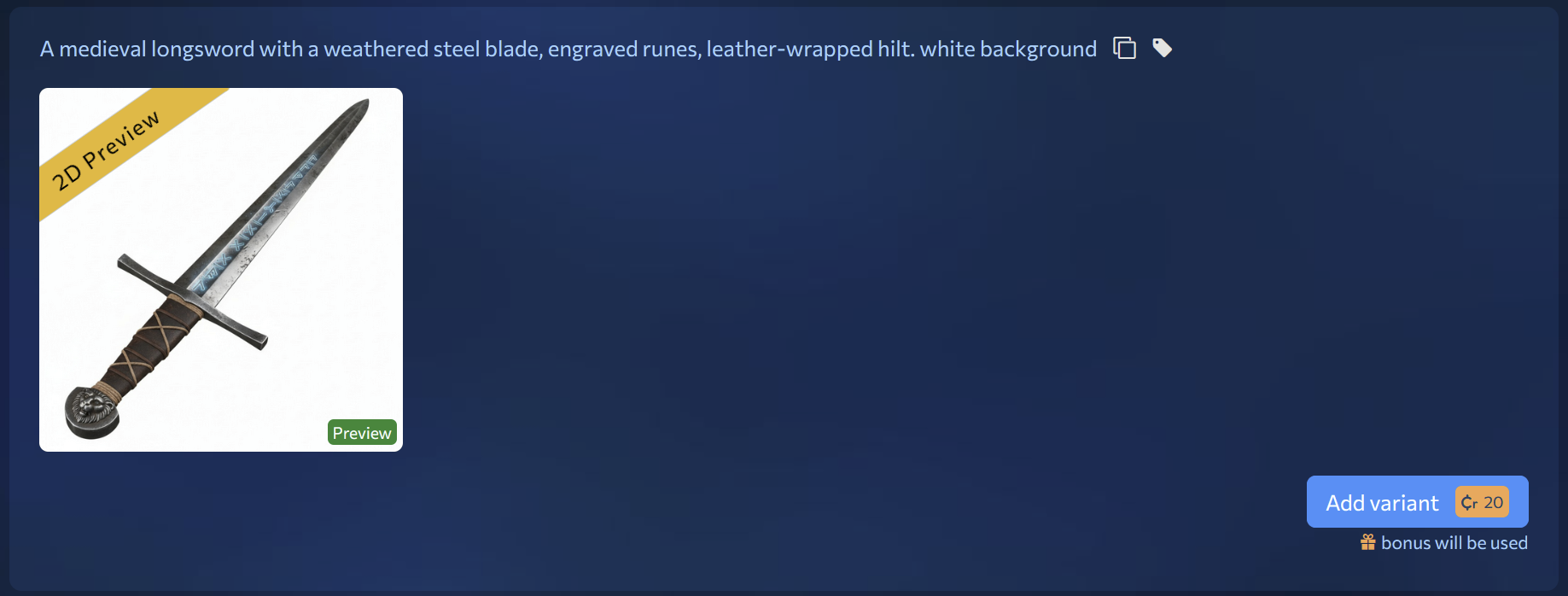
Generating a 2D Preview is fast, usually only taking a few seconds.
The 2D preview can be viewed, including the texture it will have. You can redo the 2D Preview by clicking the "Add variant" button.  ## Generating final model
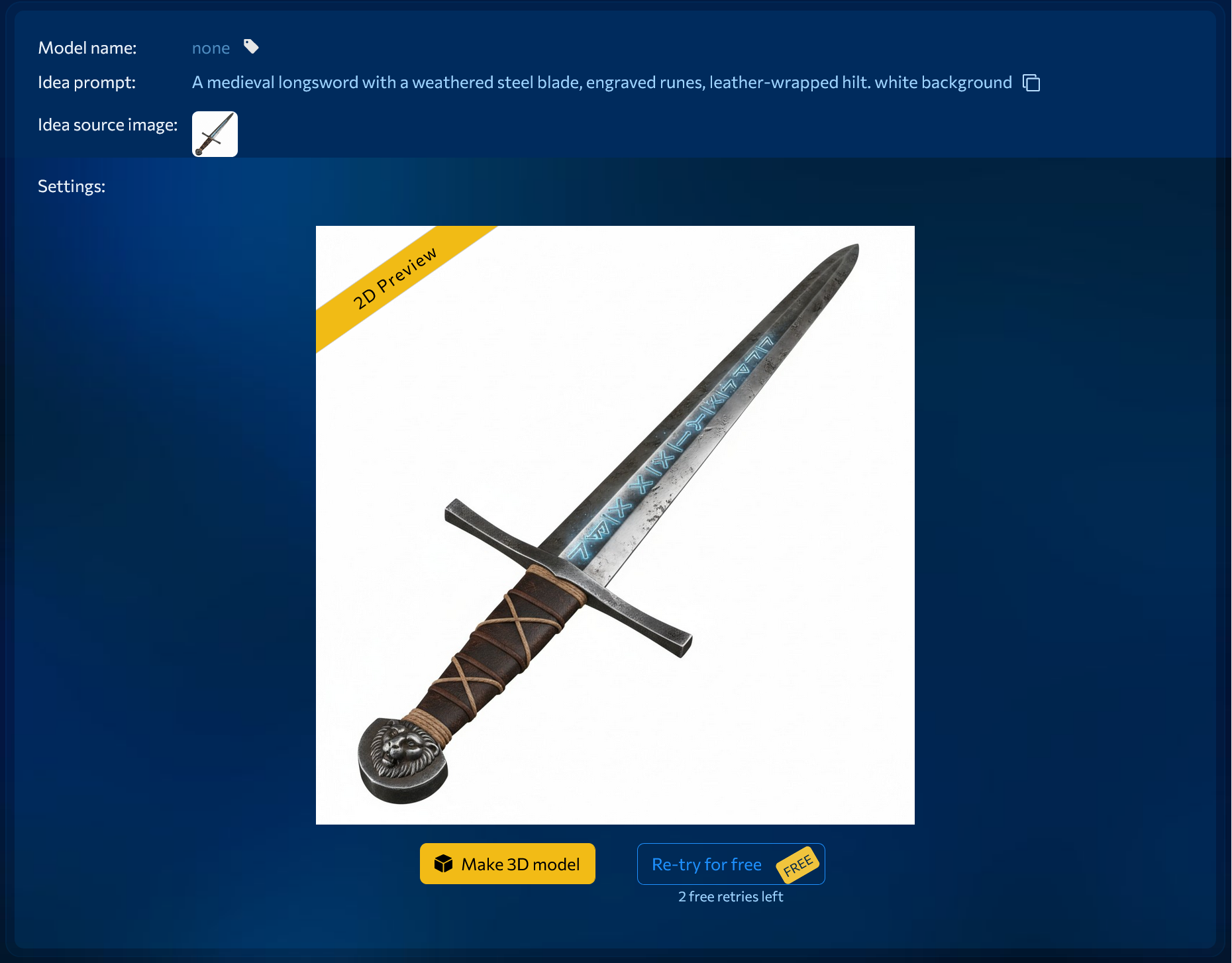
If you like the Preview, you can make it full 3D model by clicking
## Generating final model
If you like the Preview, you can make it full 3D model by clicking  to begin the generation process.
## 3D Model Details
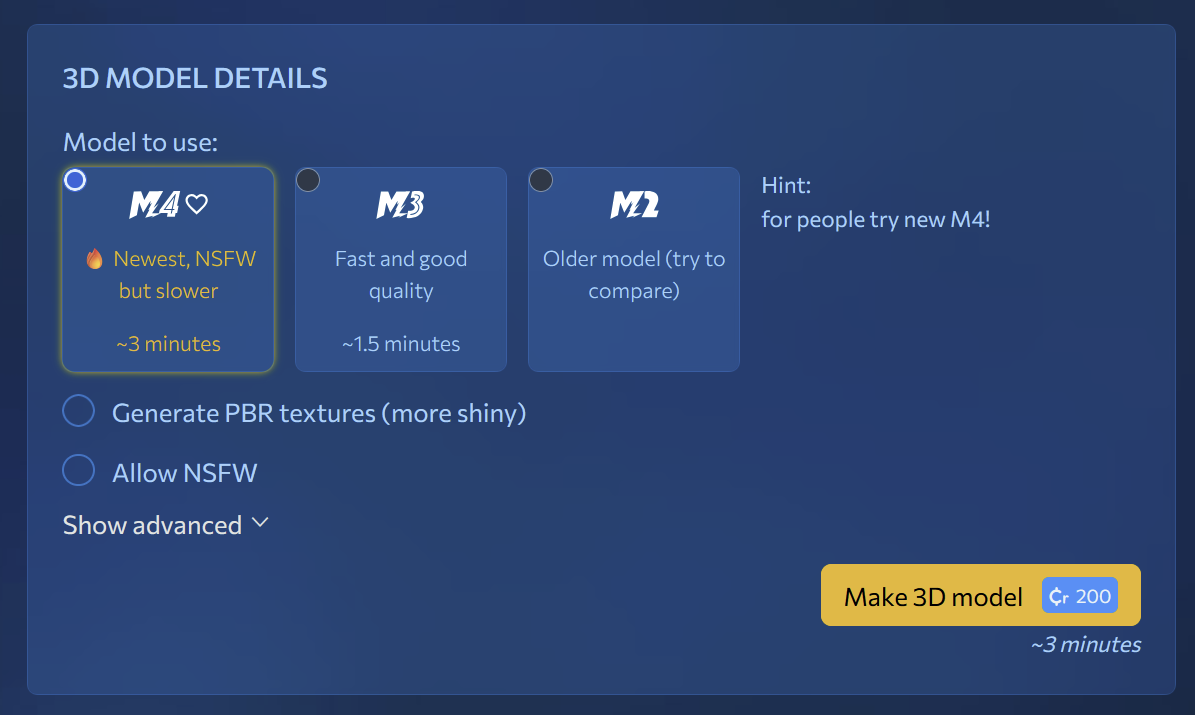
Before generating the full 3D Model, you can choose from the available [AI Models](/advanced/ai-models.md).
Additionally, you can:
* **Generate PBR Textures** - Generates [PBR textures](/export/using-pbr-materials.md) for this model.
* **Allow NSFW** - Allows generation of NSFW content, if the model allows.
## Final Model
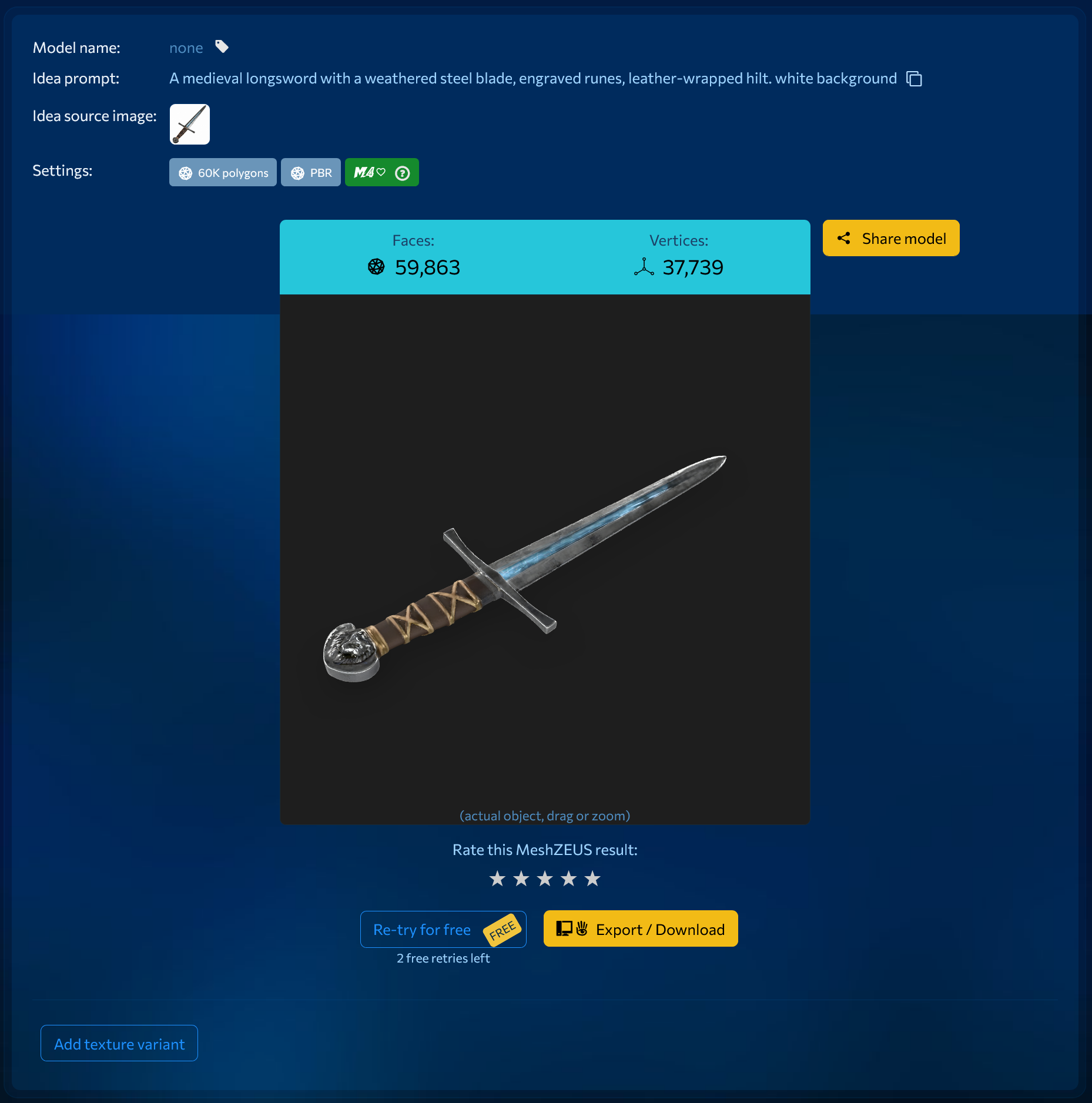
The final model can be exported or downloaded.
* **Downloaded** - Downloaded as a DAE or GLB file.
to begin the generation process.
## 3D Model Details
Before generating the full 3D Model, you can choose from the available [AI Models](/advanced/ai-models.md).
Additionally, you can:
* **Generate PBR Textures** - Generates [PBR textures](/export/using-pbr-materials.md) for this model.
* **Allow NSFW** - Allows generation of NSFW content, if the model allows.
## Final Model
The final model can be exported or downloaded.
* **Downloaded** - Downloaded as a DAE or GLB file.  * **Exported to SL** - Send to your avatar in SL, for a cost.
  You can also [re-texture](/basics/re-texture.md) your model by clicking the "Add texture variant" button.