> For the complete documentation index, see [llms.txt](https://help.meshzeus.com/llms.txt). Markdown versions of documentation pages are available by appending `.md` to page URLs; this page is available as [Markdown](https://help.meshzeus.com/adding-credits.md).
# Adding Credits
To generate using MeshZEUS, you need to add Credits to your balance.
{% hint style="info" %}
L$1 is equal to 1 Credit on MeshZEUS.
{% endhint %}
{% stepper %}
{% step %}
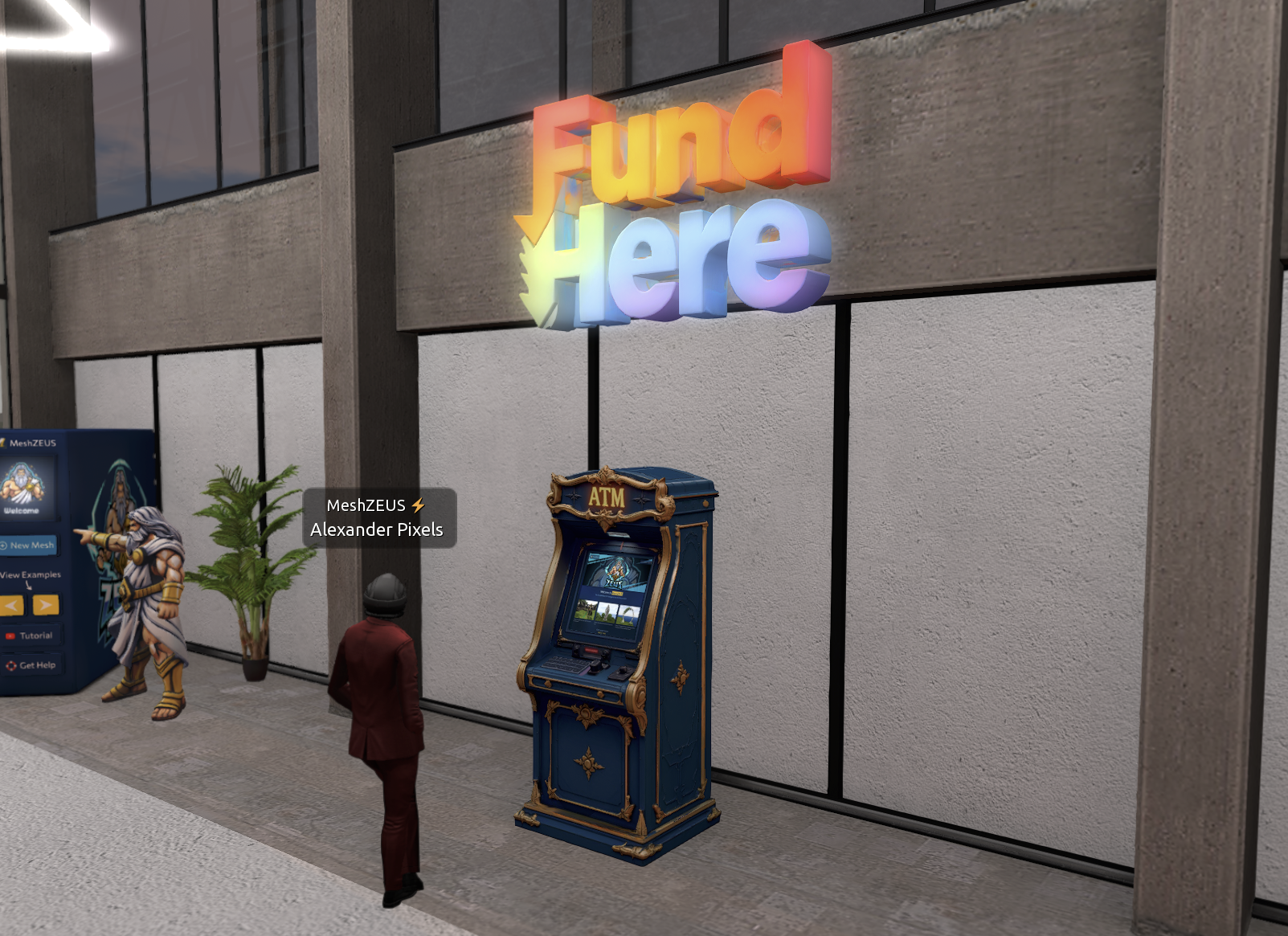
### Teleport to our payment terminal
Visit the MeshZEUS in-world office at [DuoLife/32/181/25](http://maps.secondlife.com/secondlife/DuoLife/32/181/25).
Click to Teleport
{% endstep %}
{% step %}
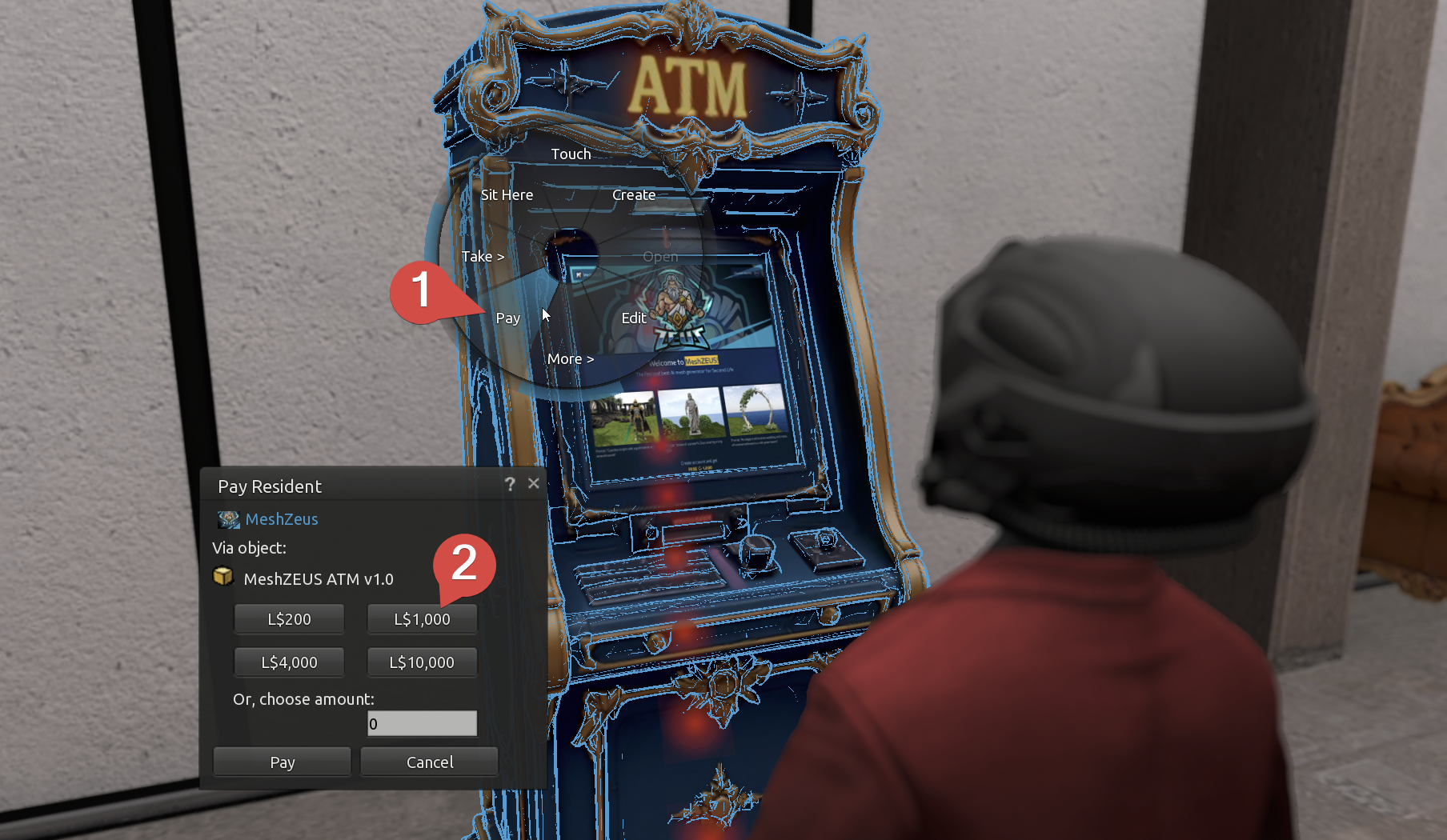
### Pay the terminal
Right-click the terminal and pay any amount of L$ you wish. Your MeshZEUS account will then be topped up with the amount you paid. **1L$ = 1 Credit**.
{% endstep %}
{% endstepper %}
## Payment Issues?
If you're experiencing any issues with payments, contact [MeshZEUS Support](https://tawk.to/meshzeus) with following information:
* Your SL name
* E-mail address
* [L$ Transaction](https://accounts.secondlife.com/transaction_history/#/) screenshot
## Next Steps
To start generating meshes after successfully adding Credits to your balance, you may find following documentation entries useful:
**Generation Basics**
* [Text-to-3D](/basics/text-to-3d.md) - to generate objects using text
* [Image-to-3D](/basics/image-to-3d.md) - to generate objects using images